

Download Antivirus Thor Lite – Free Mac Security Tool
Introduction
Antivirus Thor Lite is a lightweight, free security utility built specifically for macOS users who need fast, on‑demand virus detection without the performance hit of heavyweight scanners. Unlike many traditional antivirus programs that rely on massive, infrequent updates, Thor Lite delivers a series of small, incremental updates that install in seconds, keeping the protection engine current while preserving the fluidity of everyday tasks. Once installed, the app runs silently in the background, continuously monitoring system activity and instantly notifying you when a suspicious file or process is detected.
The notification includes a clear description of the threat, allowing you to take immediate action—whether that means isolating the file, seeking a full‑featured solution, or simply ignoring a false positive. While the Lite version does not delete malware, it excels at early‑stage detection, giving Mac owners a valuable “early warning” system that can prevent infections from spreading before they cause noticeable damage. This makes Antivirus Thor Lite an ideal companion for users who want a free, low‑impact tool to complement a more robust, paid security suite or to provide an extra layer of vigilance on a brand‑new Mac.
Key Features of Antivirus Thor Lite
- Instant Threat Scanning: Real‑time monitoring of files, downloads, and active processes to catch malware the moment it appears.
- Micro‑Update Architecture: Small, frequent definition updates that install within seconds, eliminating long pauses or system slow‑downs.
- Background Operation: Runs silently without intrusive pop‑ups, only alerting you when a genuine risk is found.
- Clear Threat Reports: Each alert includes the file name, location, risk level, and suggested next steps.
- Low Resource Footprint: Uses minimal CPU and RAM, ensuring that everyday tasks like browsing, video editing, or coding remain unaffected.
- Free for All macOS Users: No subscription required; the Lite version is completely free and can be downloaded directly from the developer’s site.
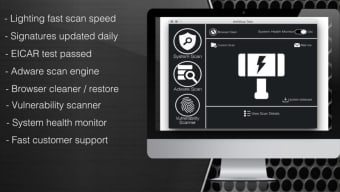
- Easy‑to‑Read Dashboard: A simple interface that shows the last scan date, number of detections, and update status at a glance.
Installation, Usage & Compatibility
Getting started with Antivirus Thor Lite is a straightforward three‑step process that takes less than five minutes from download to protection.
- Download the Installer: Visit the official Thor website and click the “Download for macOS” button. The file is a signed .dmg package, ensuring a secure download free from tampering.
- Run the Installer: Open the .dmg file, then drag the Antivirus Thor Lite icon into your Applications folder. macOS may prompt you to confirm that you trust the developer; simply click “Open” to proceed.
- Initial Setup: Launch the app from the Applications folder. The first launch will trigger a brief update cycle (usually under 30 seconds) to fetch the latest virus definitions. After the update, the app asks for permission to run in the background; grant this access in System Settings → Security & Privacy → Privacy → Full Disk Access.
Once installed, Antivirus Thor Lite automatically starts a lightweight scan of critical system folders. You can also run a manual scan at any time by clicking the “Scan Now” button in the main window. Detected threats appear in the notification center with actionable options such as “Quarantine,” “Ignore,” or “Learn More.” Because the Lite edition does not include a removal engine, the recommended action for confirmed malware is to either purchase the full version of Thor or use an alternative removal tool.
Compatibility: The software supports macOS 10.12 (Sierra) and newer, including macOS Ventura, Monterey, and Big Sur. It is optimized for both Intel‑based Macs and Apple Silicon (M1/M2) devices, delivering consistent performance across all supported hardware.
Pros and Cons
Pros
- Fast, micro‑updates keep virus definitions current without long installation windows.
- Minimal impact on CPU and memory, preserving system speed for everyday tasks.
- Clear, concise alerts that explain the nature of each threat.
- Completely free, with no hidden fees or trial periods.
- Runs quietly in the background, reducing notification fatigue.
- Fully compatible with both Intel and Apple Silicon Macs.
Cons
- The Lite version cannot delete or quarantine detected malware; it only provides alerts.
- Limited feature set compared to the paid Thor suite (no firewall, parental controls, or privacy shield).
- Only available for macOS; Windows, Android, and iOS users cannot install the app.
- Occasional false positives may require manual verification.
- Support is limited to community forums for the free version.
FAQ & Final Thoughts
Is Antivirus Thor Lite truly free?
Yes, the Lite edition can be downloaded, installed, and used at no cost. There are no hidden subscription fees, though the free version does not include malware removal capabilities.
Can Thor Lite protect me from the latest macOS ransomware?
Thor Lite receives frequent definition updates, which means it can detect many known ransomware strains shortly after they appear. However, because it cannot remove threats, you’ll need the full version or another removal tool to eliminate an active ransomware infection.
How much system resources does the application consume?
The program is designed for low‑impact operation, typically using less than 5 % of CPU and under 50 MB of RAM during idle monitoring. Scans may temporarily increase usage, but the impact remains modest.
Will Thor Lite interfere with other antivirus software?
Because Thor Lite focuses on detection and does not perform active remediation, it generally co‑exists peacefully with other security suites. If you already run a full‑featured antivirus, Thor Lite can serve as an extra layer of real‑time monitoring.
How often should I update the definitions manually?
The application checks for updates automatically every few hours. Manual checks are rarely needed, but you can trigger an update from the main window if you suspect a new threat has emerged.
Final Verdict: If you own a Mac and are looking for a free, unobtrusive way to stay informed about emerging threats, Antivirus Thor Lite offers a solid first line of defense. Its micro‑update model and low resource usage make it ideal for users who want protection without sacrificing performance. Keep in mind that the Lite edition only alerts you to problems; for full remediation you’ll need the paid Thor suite or another dedicated removal tool. Nevertheless, as a complimentary “early warning” system, Thor Lite delivers reliable detection, clear reporting, and a user‑friendly experience that aligns well with macOS’s design philosophy. Download Antivirus Thor Lite now and give your Mac the extra vigilance it deserves.
Antivirus Thor Lite provides fast, reliable detection with a minimal performance footprint, making it a valuable free tool for macOS users. Its inability to remove threats limits its standalone usefulness, but as a complementary scanner it excels.
- Instant micro‑updates keep definitions current without slowing the system.
- Lightweight background operation preserves Mac performance.
- Cannot delete or quarantine detected malware.
- Feature set is limited compared to the full paid version.







